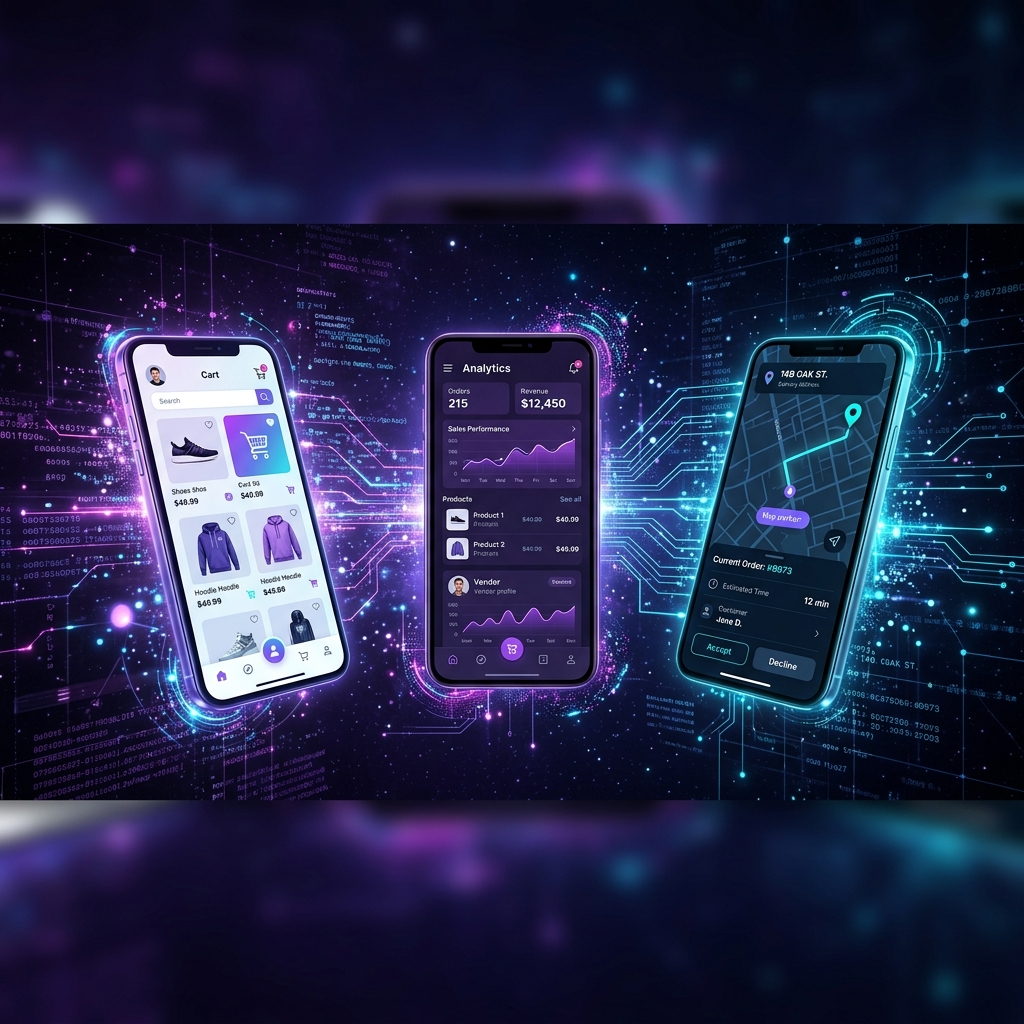

When I set out to build KupwaraCart, I knew a single app wouldn't cut it. A hyperlocal delivery platform isn't just a shopping app — it's an entire ecosystem where customers, sellers, and delivery riders all need to work together in real-time. This article is a technical deep dive into how I architected and built three interconnected mobile applications with a shared backend, real-time communication, and offline-first capabilities.
System Architecture Overview
KupwaraCart is composed of four major components:
- Customer App (React Native + Expo) — Product browsing, ordering, payment, live tracking
- Seller App (React Native + Expo) — Inventory management, order acceptance, analytics
- Rider App (React Native + Expo) — Order pickup, navigation, delivery confirmation
- Backend API (Django + DRF + PostgreSQL) — Business logic, auth, real-time, data persistence
The key architectural decision was to build all three apps from a monorepo with maximum code sharing. Let me walk through each layer.
The Monorepo Strategy
Instead of three separate repositories, I used a monorepo structure that allows the three apps to share common code while maintaining their own app-specific logic:
kupwaracart/
├── packages/
│   ├── shared/              # Shared across all apps
│   │   ├── api/             # API client, interceptors
│   │   ├── components/      # Reusable UI components
│   │   ├── hooks/           # Custom React hooks
│   │   ├── store/           # Shared state management
│   │   ├── types/           # TypeScript type definitions
│   │   └── utils/           # Helper functions
│   │
│   ├── customer-app/        # Customer-facing app
│   │   ├── screens/
│   │   ├── navigation/
│   │   └── app.json
│   │
│   ├── seller-app/          # Seller dashboard app
│   │   ├── screens/
│   │   ├── navigation/
│   │   └── app.json
│   │
│   └── rider-app/           # Delivery rider app
│       ├── screens/
│       ├── navigation/
│       └── app.json
│
└── backend/                 # Django backend
    ├── accounts/
    ├── catalog/
    ├── orders/
    ├── delivery/
    └── payments/
This approach gave me roughly 80% code reuse across the three apps. The shared package contains the API client, authentication logic, WebSocket manager, common UI components (buttons, cards, modals, inputs), and TypeScript type definitions that mirror the backend's serializer schemas.
Backend Architecture: Django REST Framework
The backend is a Django application with Django REST Framework (DRF) handling the API layer. Here's how the major Django apps are structured:
Authentication: JWT with Refresh Tokens
I use djangorestframework-simplejwt for token-based authentication. Each user type
(customer, seller, rider) is a single User model with a role field.
Permissions are enforced through custom DRF permission classes:
class IsSeller(BasePermission):
    def has_permission(self, request, view):
        return (request.user.is_authenticated
                and request.user.role == 'seller')

class IsRider(BasePermission):
    def has_permission(self, request, view):
        return (request.user.is_authenticated
                and request.user.role == 'rider')
Order Lifecycle: State Machine Pattern
The order model uses a state machine pattern with well-defined transitions. An order moves through these states:
PENDING → ACCEPTED → PREPARING → READY_FOR_PICKUP
→ RIDER_ASSIGNED → PICKED_UP → IN_TRANSIT → DELIVERED

# Alternative flows:
PENDING → REJECTED (by seller)
PENDING → CANCELLED (by customer)
ANY_STATE → FAILED (system error)
Each state transition triggers side effects — push notifications to the relevant user, inventory updates, analytics events, and real-time WebSocket broadcasts.
Geospatial Features: PostGIS
PostgreSQL with the PostGIS extension powers all location-based features. Store
locations, delivery addresses, and rider positions are stored as PointField types,
enabling queries like "find all stores within 5km of the customer" with:
from django.contrib.gis.db.models.functions import Distance
from django.contrib.gis.geos import Point

user_location = Point(74.2543, 34.5297, srid=4326)

nearby_stores = Store.objects.annotate(
    distance=Distance('location', user_location)
).filter(
    distance__lte=D(km=5)
).order_by('distance')
Real-Time Communication
Real-time updates are the heartbeat of a delivery platform. When a customer places an order, the seller needs to know immediately. When the rider moves, the customer needs to see live tracking.
I implemented real-time communication using Django Channels with WebSocket connections. Each app maintains a persistent WebSocket connection to the backend, subscribing to relevant channels:
- Customer subscribes to:
order.{order_id}— gets updates on their order status - Seller subscribes to:
store.{store_id}— receives new order notifications - Rider subscribes to:
rider.{rider_id}— gets delivery assignment alerts
On the React Native side, I created a custom useWebSocket hook that handles
connection management, automatic reconnection with exponential backoff, and message parsing:
const useWebSocket = (channel: string) => {
  const [messages, setMessages] = useState([]);
  const wsRef = useRef<WebSocket | null>(null);
  const retryCount = useRef(0);

  const connect = useCallback(() => {
    const ws = new WebSocket(
      `wss://api.kupwaracart.in/ws/${channel}/`
    );

    ws.onmessage = (event) => {
      const data = JSON.parse(event.data);
      setMessages(prev => [...prev, data]);
    };

    ws.onclose = () => {
      // Exponential backoff reconnection
      const delay = Math.min(
        1000 * Math.pow(2, retryCount.current),
        30000
      );
      setTimeout(connect, delay);
      retryCount.current++;
    };

    wsRef.current = ws;
  }, [channel]);

  useEffect(() => { connect(); }, [connect]);

  return messages;
};
Offline-First Architecture
Given Kashmir's unreliable internet connectivity, offline support wasn't a nice-to-have — it was essential. I implemented an offline-first strategy using:
- AsyncStorage for persistent local caching of product catalogs and user data
- Optimistic UI updates — actions appear to succeed immediately, with background sync
- Action queue — when offline, user actions (place order, update inventory) are queued locally and replayed when connectivity returns
- NetInfo listener — detects connectivity changes and triggers sync
The sync mechanism uses a conflict resolution strategy based on timestamps. When a queued action conflicts with a server-side change (e.g., a product's price changed while the user was offline), the server's version wins, and the user is notified.
Push Notifications Architecture
Push notifications are critical for a delivery app. I use Expo Notifications combined with Firebase Cloud Messaging (FCM) for Android and APNs for iOS. The backend sends notifications through a unified notification service:
# notifications/service.py
class NotificationService:
    @staticmethod
    def send_order_update(order, status):
        templates = {
            'accepted': {
                'title': 'Order Accepted! 🎉',
                'body': f'{order.store.name} is preparing your order'
            },
            'picked_up': {
                'title': 'Order Picked Up 🚴',
                'body': f'Your rider is on the way!'
            },
            'delivered': {
                'title': 'Delivered! ✅',
                'body': f'Enjoy your order from {order.store.name}'
            }
        }

        template = templates.get(status)
        if template:
            push_notification(
                token=order.customer.push_token,
                **template,
                data={'order_id': str(order.id)}
            )
Performance Optimizations
To keep the apps fast and responsive, even on lower-end devices common in our market:
- Image optimization — All product images are served via a CDN with automatic WebP conversion and responsive sizing
- Lazy loading — Product lists use
FlatListwith virtualization, loading images only as they enter the viewport - API response pagination — All list endpoints support cursor-based pagination with configurable page sizes
- Database query optimization — Using
select_relatedandprefetch_relatedto minimize N+1 queries - Redis caching — Frequently accessed data (store catalogs, category lists) is cached in Redis with intelligent invalidation
Deployment & DevOps
The deployment pipeline is designed for rapid iteration:
- Backend — Deployed on a cloud VPS with Gunicorn + Nginx, using Docker containers
- Database — Managed PostgreSQL with daily automated backups
- Mobile Apps — Built via EAS Build (Expo Application Services) and deployed through respective app stores
- OTA Updates — Critical bug fixes are pushed via Expo OTA updates, bypassing app store review (for JavaScript-only changes)
Key Technical Takeaways
If you're building a similar multi-app ecosystem, here are my key recommendations:
- Invest heavily in shared code infrastructure. The time spent setting up the monorepo paid for itself 10x over.
- Design your state machine first. The order lifecycle state machine is the core of the business logic. Get it right before writing any code.
- Build offline-first from day one. Retrofitting offline support is exponentially harder than building it in from the start.
- Type everything. TypeScript on the frontend, Pydantic/DRF serializers on the backend. Shared type definitions prevent an entire class of bugs.
- Monitor everything. You can't fix what you can't see. Logging, error tracking, and performance monitoring are not optional.
Building KupwaraCart has been the most challenging and rewarding technical project of my career. If you have questions about the architecture or want to discuss similar projects, feel free to reach out on GitHub or LinkedIn.